Introduction to Views

Introduction to Views
Views in VAST Data’s VMS are fundamental building blocks that serve as organized windows into your storage infrastructure. Views act as logical access points to your data, allowing administrators to define how storage resources are presented to clients across different protocols like NFS, SMB, and S3.
Think of Views as carefully crafted lenses that control not only what data is visible, but also how it can be accessed. Just as a single book can be found through multiple systems (Dewey Decimal, subject catalog, course reserves) without being duplicated, VAST Views create different access paths to the same data through different protocols. Storage administrators use Views to organize data access in ways that make sense for different departments, applications, and user groups.

Prerequisites
Before beginning this lab, please ensure you have a Cosmos Community account, as it’s needed to proceed and access the lab environment.
Access the VAST Management System GUI
Access The VAST Data Lab Environment
Go to this URL portal.thecosmoslabs.com or click the button below:
Make sure you’re logged in with your Cosmos community account.
VAST Data lab environment login page
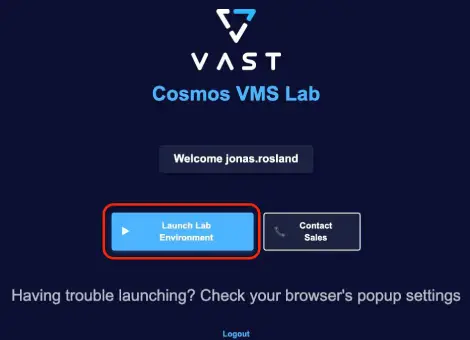
Click “Launch Lab Environment”. You might need to allow popups for the site, so if nothing happens, make sure you do so.
Upon entering the lab environment, click to accept the end user agreement.
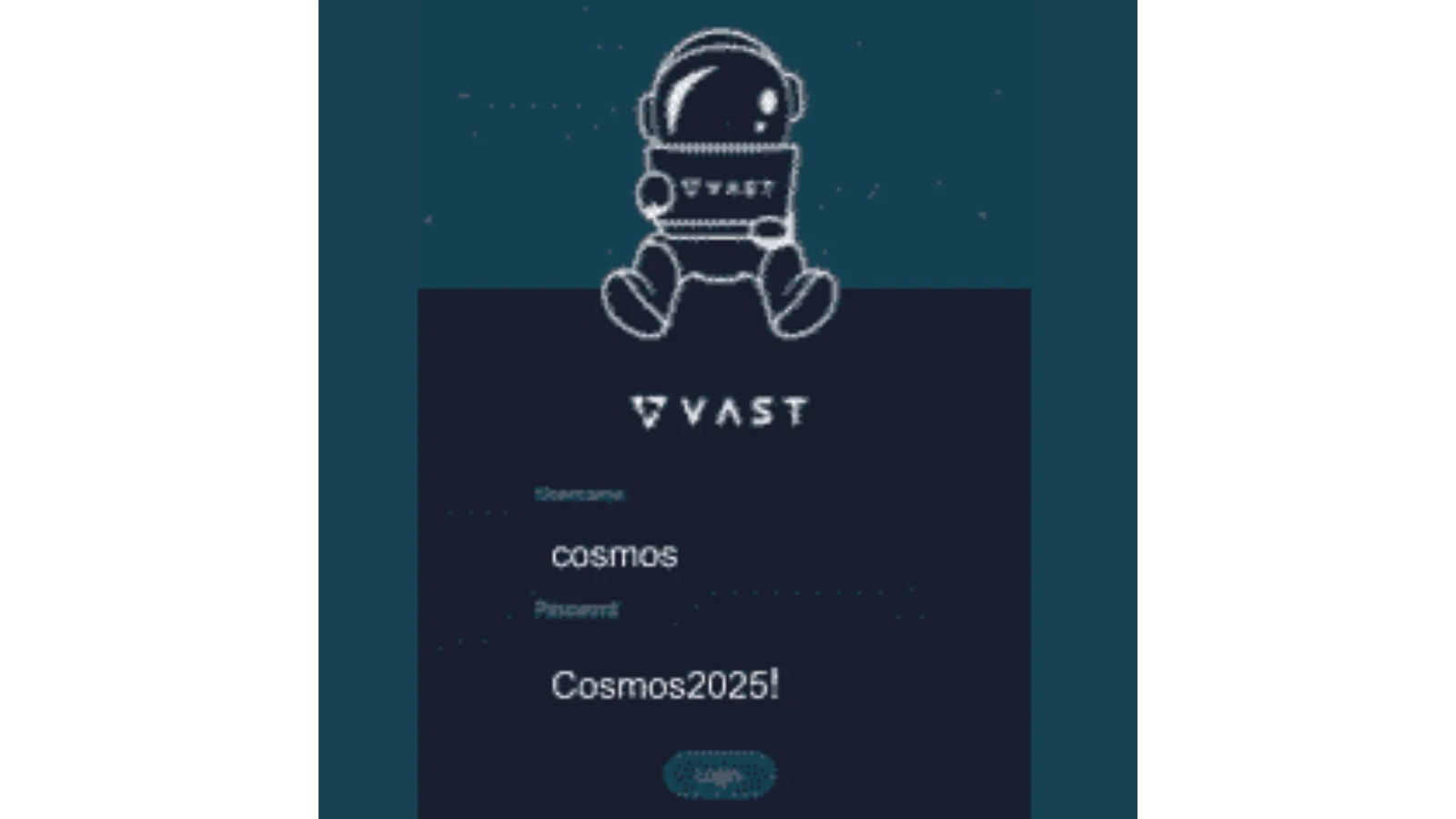
At the login screen use the credentials provided.
Accessing and Examining Existing Views
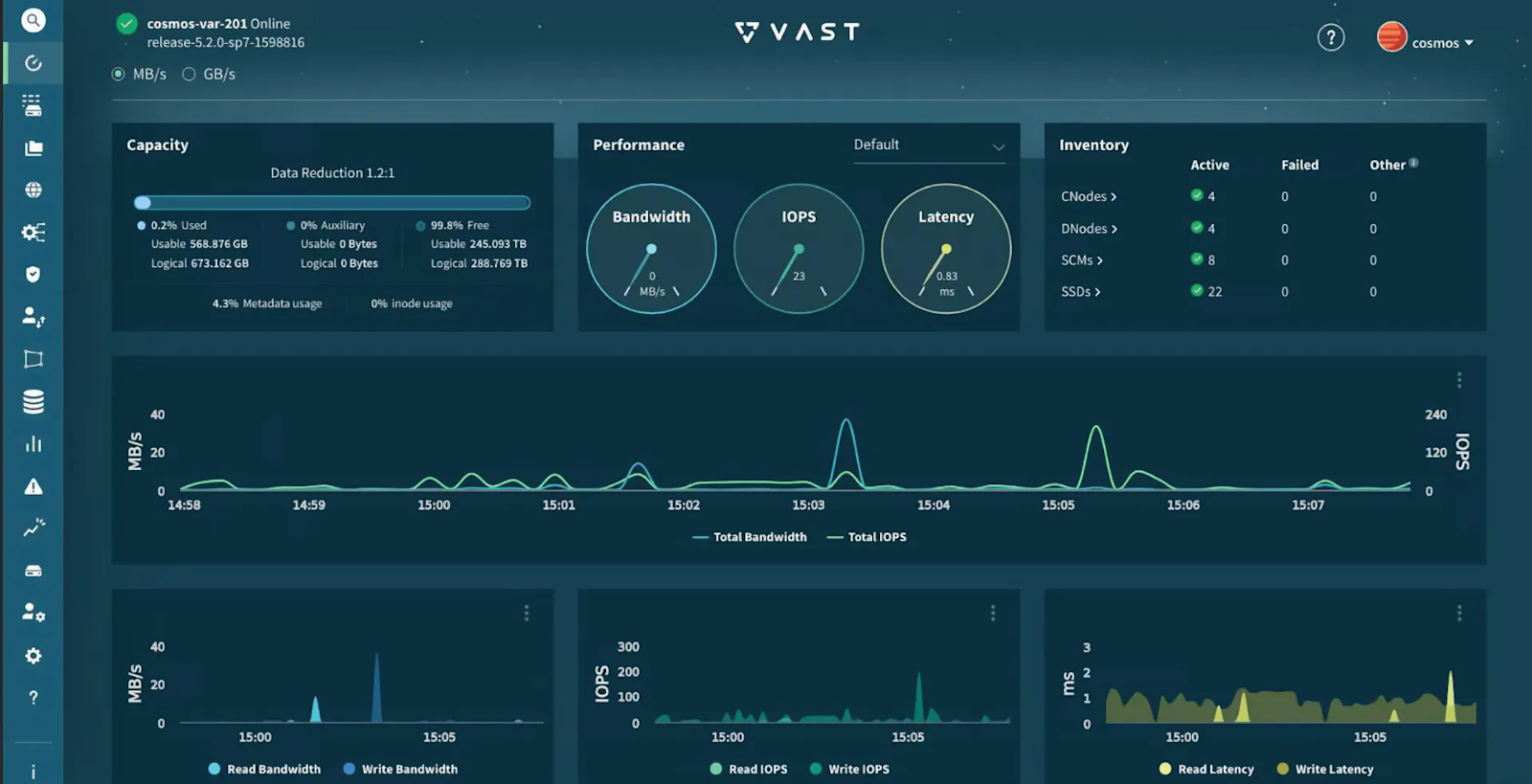
You will start off in the Dashboard section of the VAST Management System GUI. This section provides an overview of the system’s health and performance.
The left-hand navigation will open other sections in the GUI. For a full list of sections, click here.
Note that we’re operating in read-only mode, so we’ll focus on observing rather than modifying.
1. Navigate to the Views section
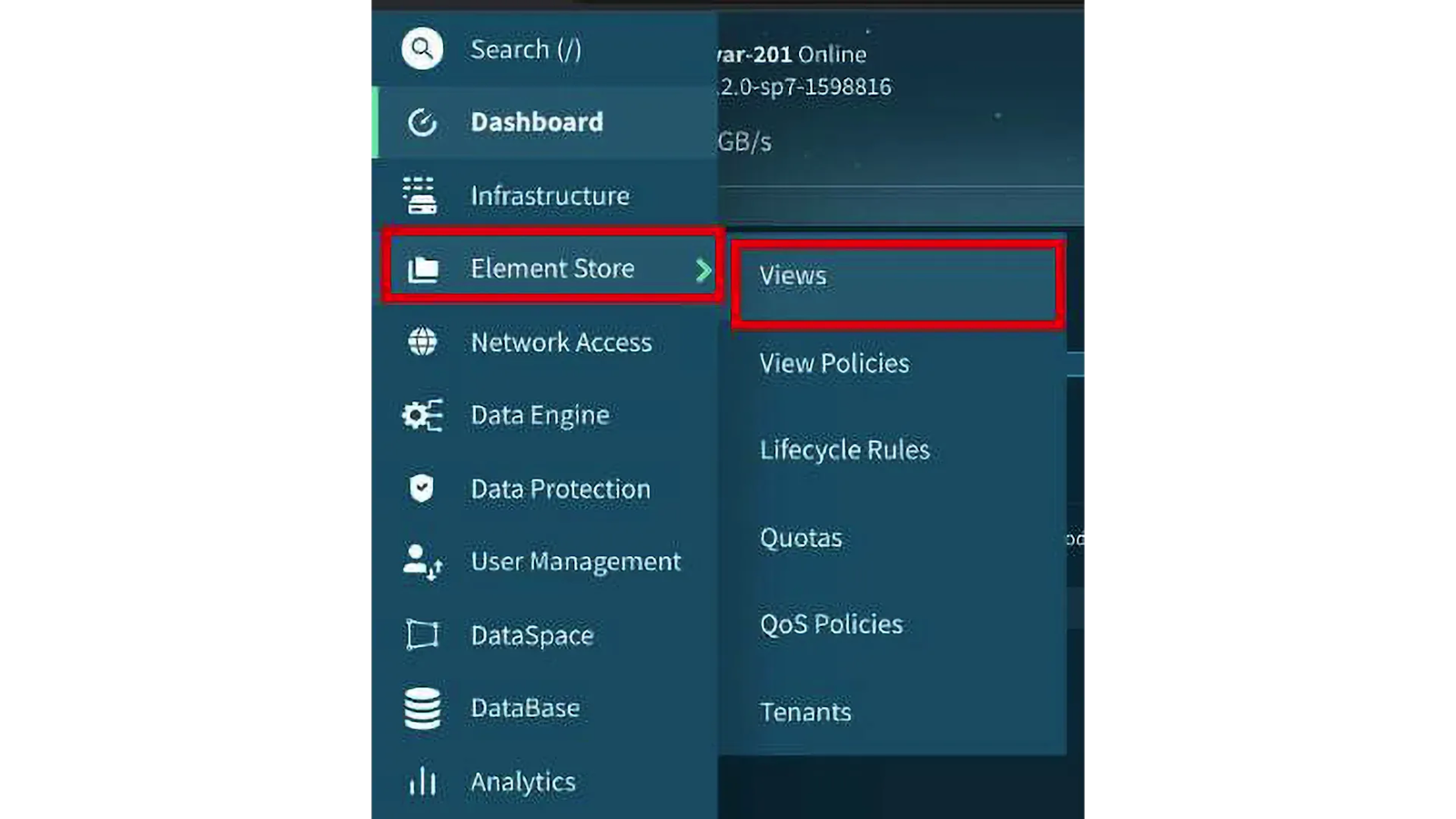
Go to the “Element Store” section in the main navigation to your left.
Select the “Views” tab to see existing Views.
Take time to observe the some of the Views that have already been configured in the environment.
2. Examine View properties
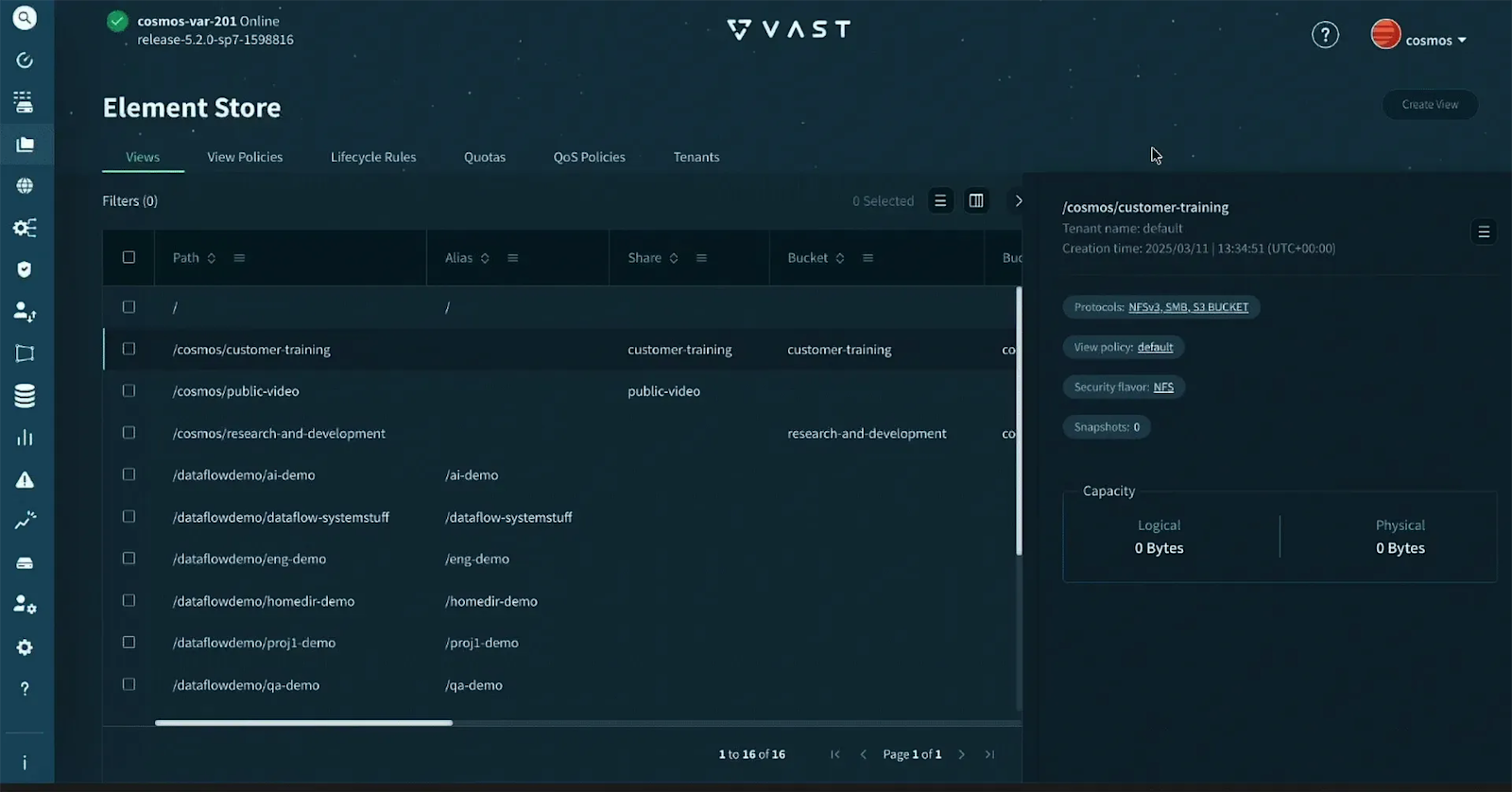
Click on different Views to inspect their configuration details.
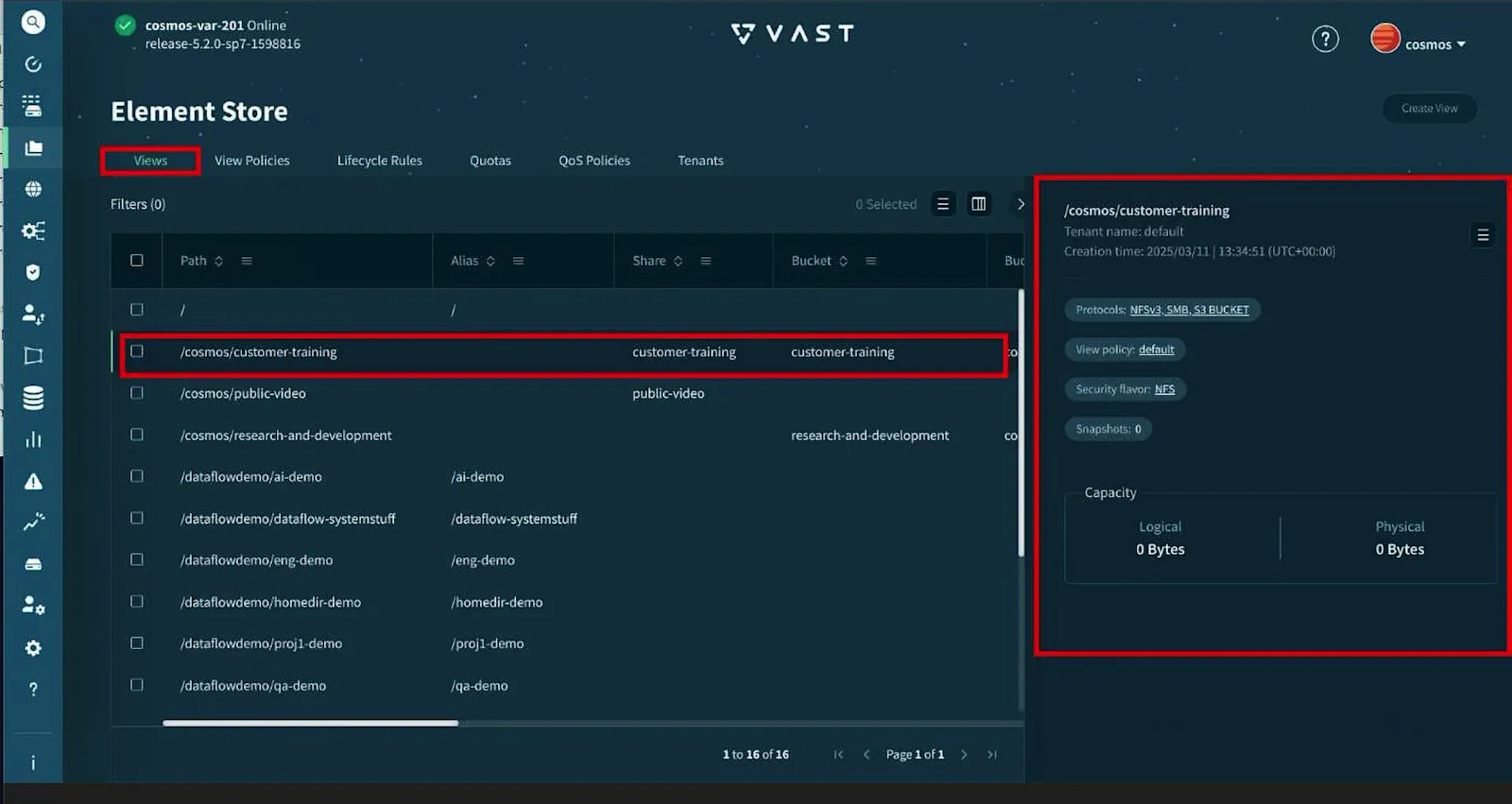
You can click on the menu to the right of the View information block to view/edit the View.
Don’t worry, this is a read-only environment.
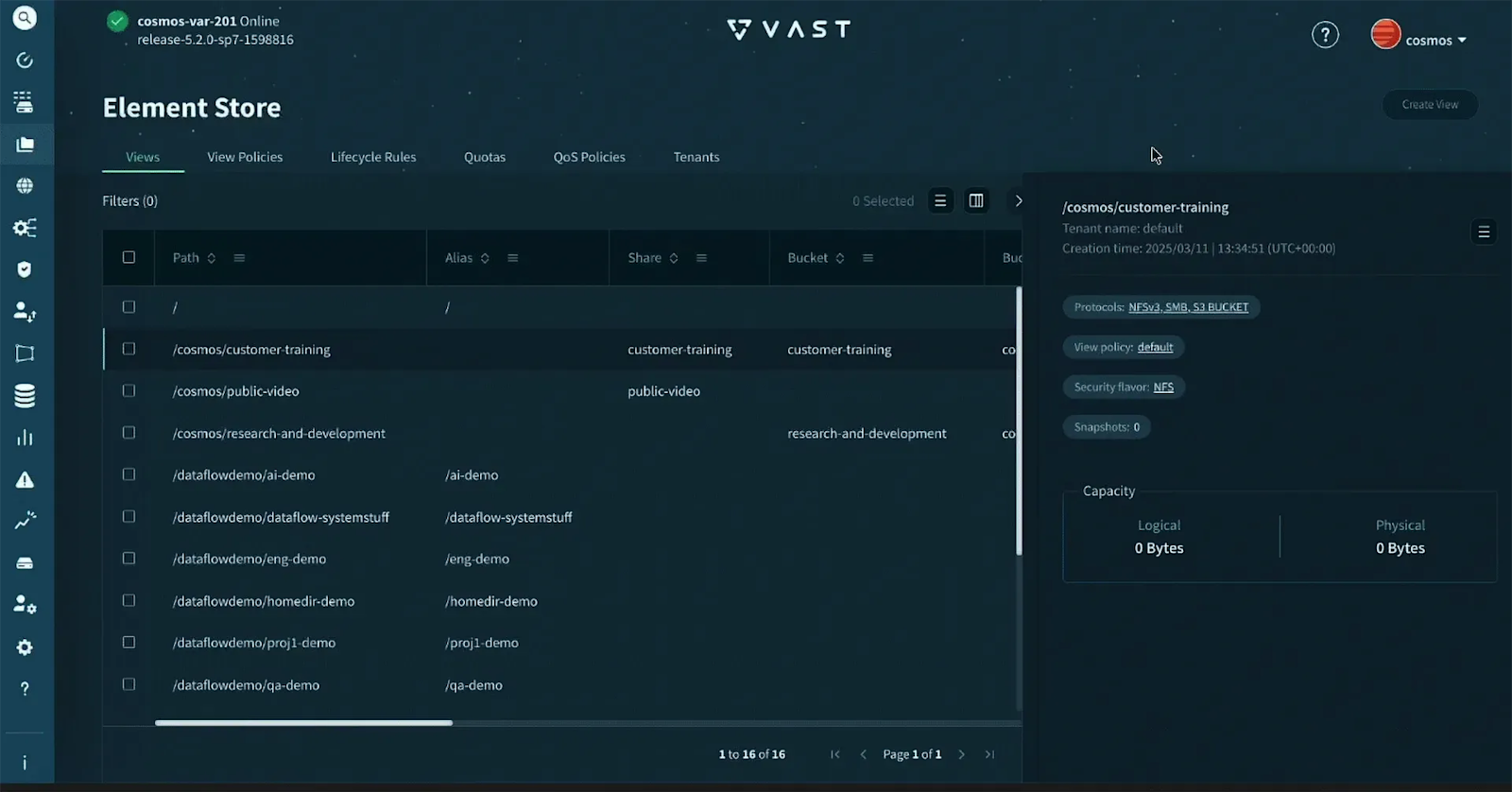
For each View, observe:
The path in the Element Store that the View exposes.
Which protocols are enabled (NFS, SMB, S3, or a combination).
The assigned View Policy that governs access behavior.
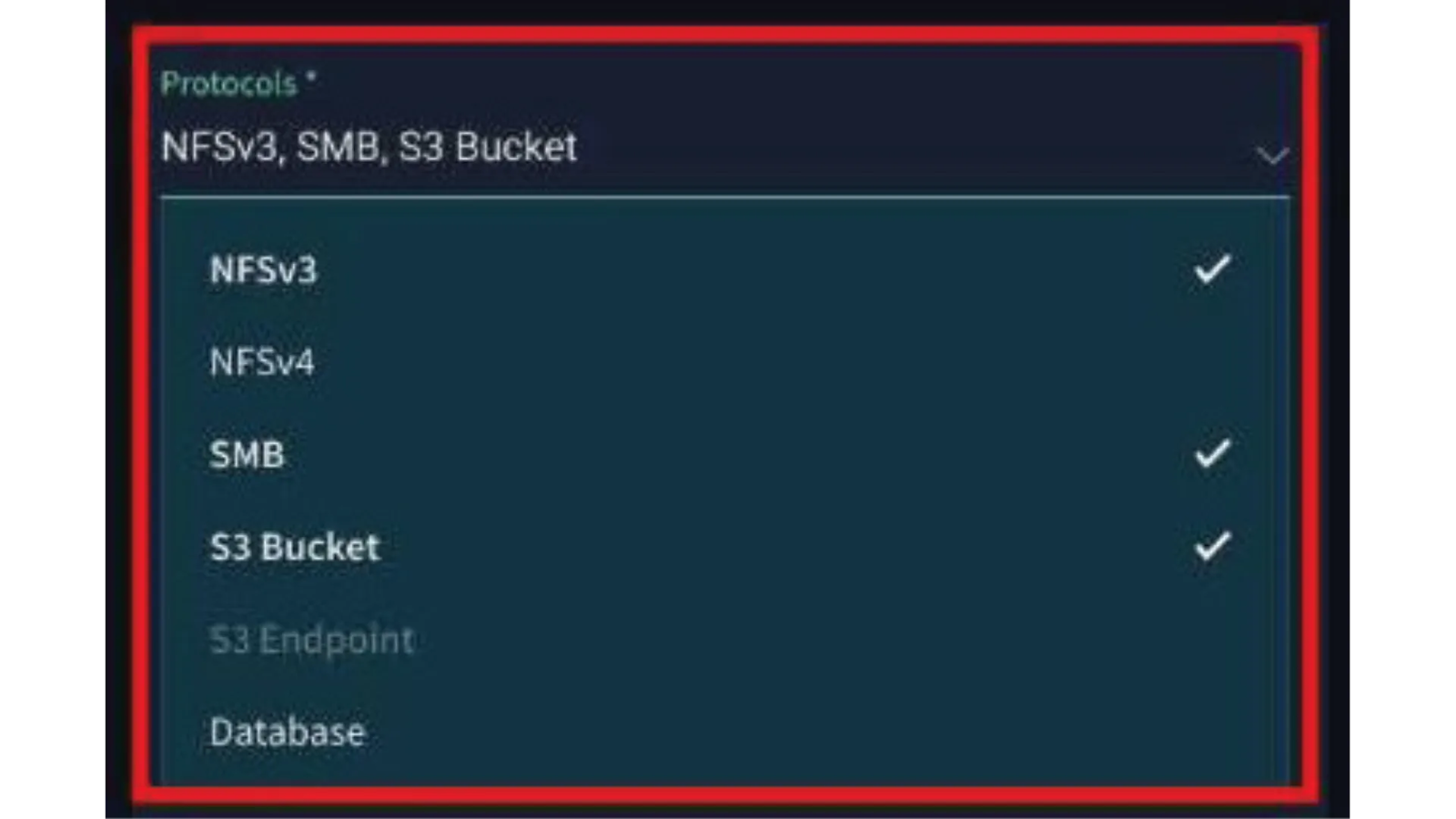
3. Understand protocol settings
Note how some Views might be accessible through multiple protocols while others are restricted to just one.
This demonstrates the flexibility of VAST’s approach to data access.
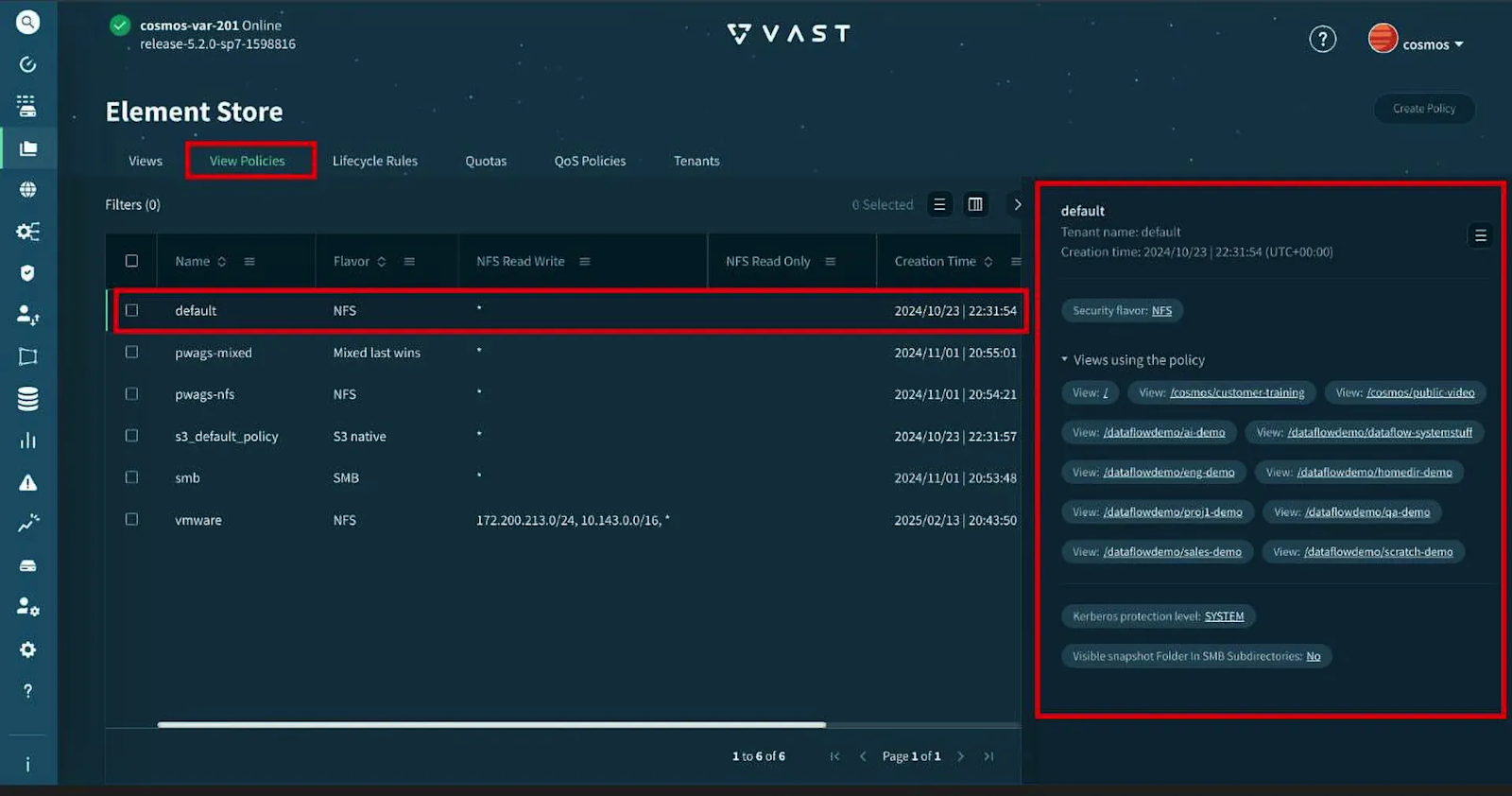
4. Explore View Policies
Navigate to the View Policies section.
Examine how different policies are configured to support varying access requirements.
Note the relationship between Views and their assigned policies.
5. Analyze security configurations
Go back to the Views tab.
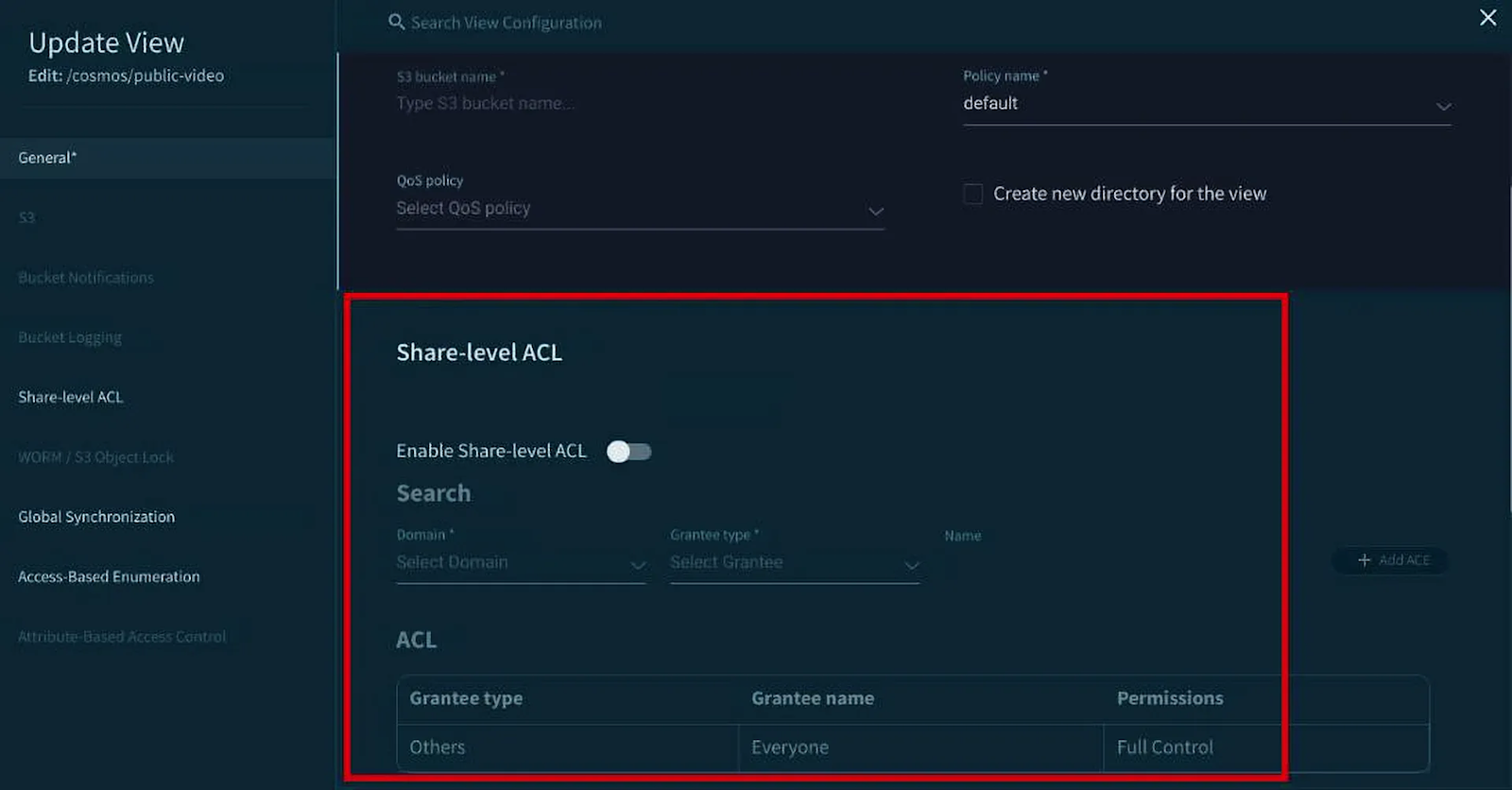
For SMB-enabled Views, observe any configured share-level ACLs, or create a new one.
For NFS-enabled Views, look at export and security settings.
For S3-enabled Views, examine bucket policies and access controls.
This provides insight into how security is implemented across different protocol types.
Modifying Views
Once a View is created, you may need to modify its settings based on evolving requirements. Modifications to Views in VAST do not affect the underlying data. Instead, they impact how the data is accessed and managed.
Here's how you can modify a View:
Navigate to the "Element Store" section and then the "Views" tab in the VAST Web UI.
Setting | How You Can Adjust |
|---|---|
Tenant | Modify the tenant associated with the View. |
Path | You cannot change the path of an existing View in VAST. |
Protocols | You can add or remove protocols to tailor the View's accessibility for different client types. Remember, you cannot select protocols that are not supported with ABAC if the View has ABAC tags assigned. For example, if a View was initially created only for NFS, you can add SMB access. |
View Policy | You can change the associated View Policy. However, be aware that changing a View Policy can significantly impact client access and permissions, particularly the security flavor. This could lead to unexpected behavior, especially when switching between security flavors like NFS and SMB that have different inheritance rules. |
Other Settings | Depending on the protocols enabled, you can adjust settings like share-level ACLs for SMB, Access-Based Enumeration (ABE), and WORM (Write Once Read Many) settings. |
Create a View
Creating Views in the VAST GUI is straightforward. The process involves navigating to the Element Store section and then to the Views tab.
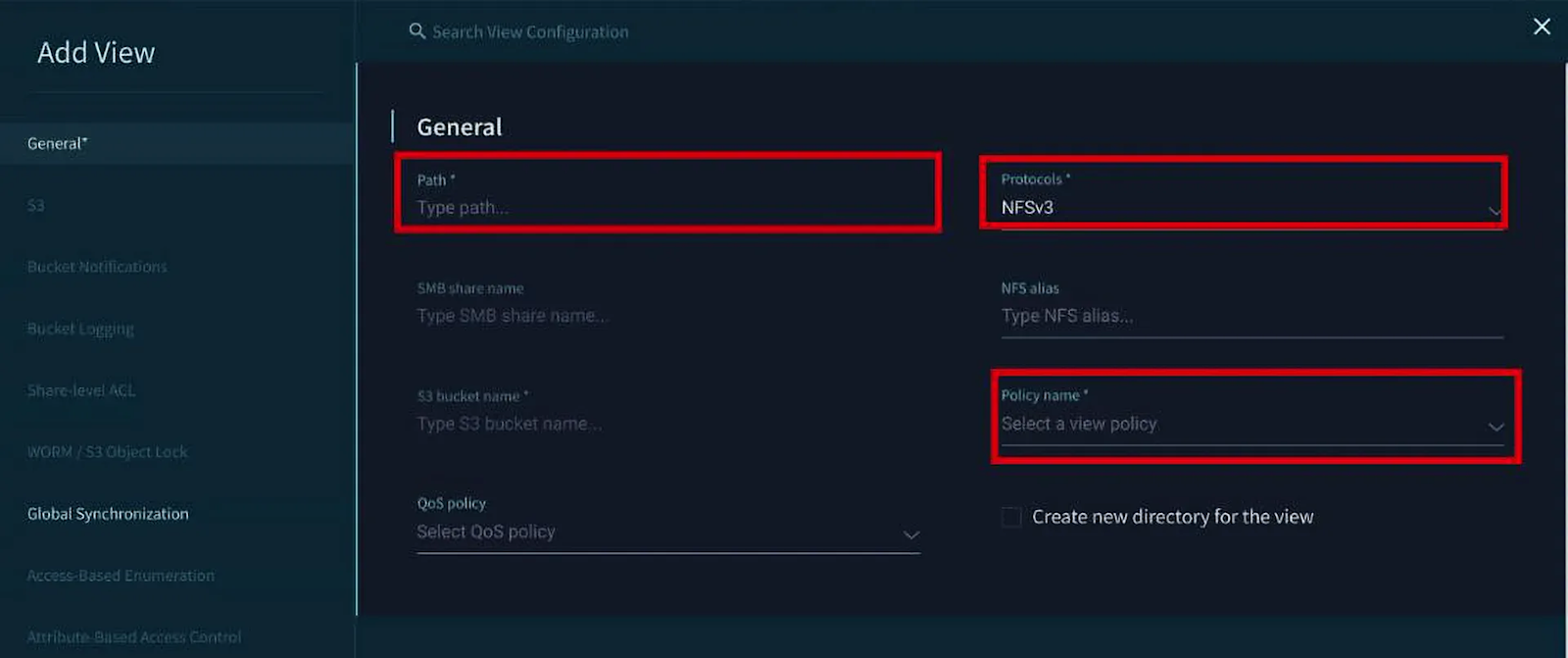
To add a new View, click “Create View.” This will open a dialog box where you will define the parameters of your new View.
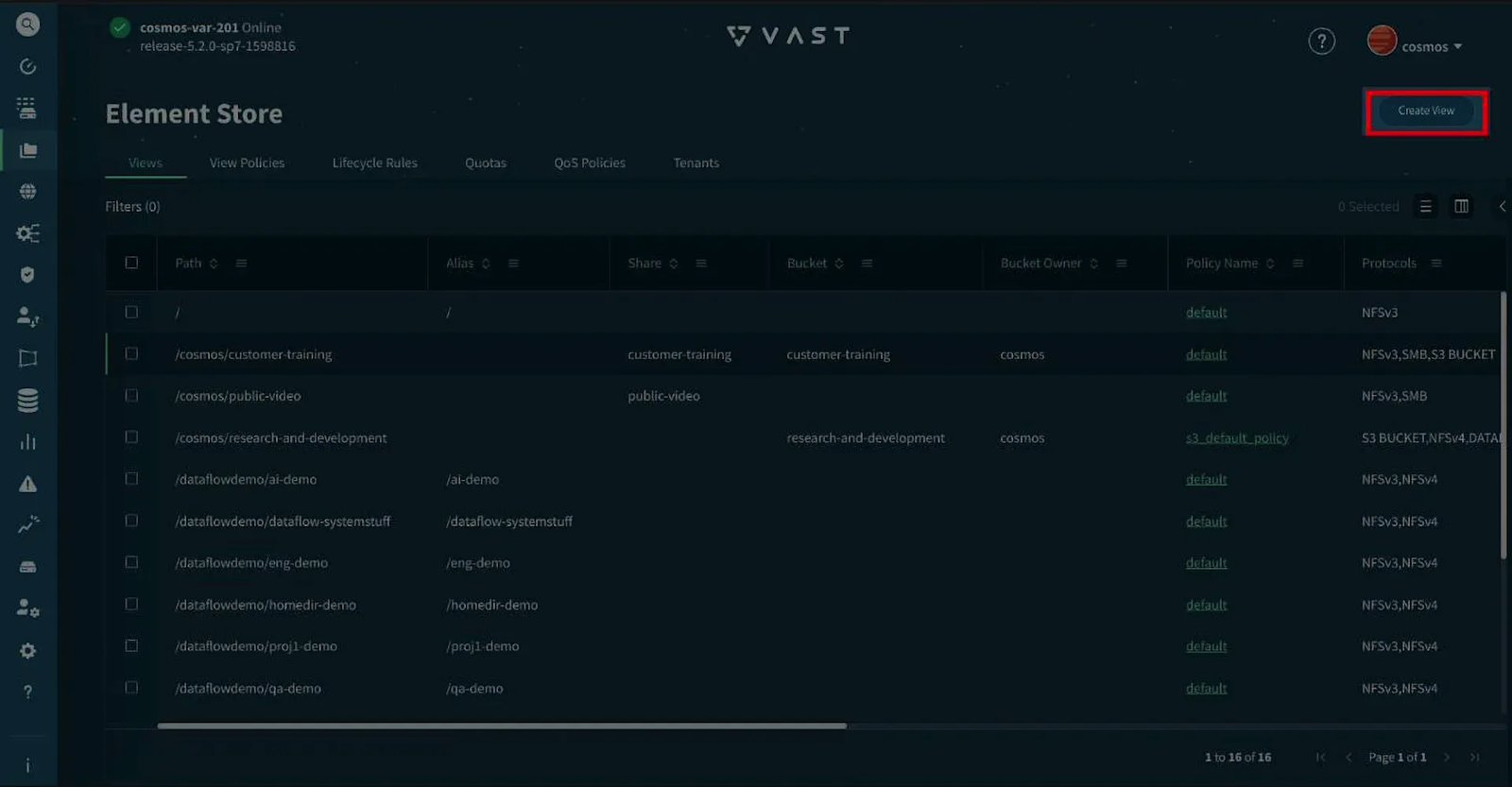
The “Add View” dialog box will require you to specify various details:
Path: Define the exact path in the Element Store where the data for this View resides. This path should be the full path to the desired directory. (an example would be “engineering/ai”
Protocols: Choose the protocols you want to enable for this View (NFS, SMB, S3, or a combination). You can create a view that is simultaneously accessible as an NFS export, an SMB Share, and an S3 bucket, providing flexibility and simplifying data sharing across diverse environments.
View Policy: Select the appropriate View Policy from the dropdown menu. This determines the access permissions, security model, and other settings that govern how clients can interact with the data through this View. If there is no view policy with the configuration that you need for a particular view, you will need to create a suitable view policy first.
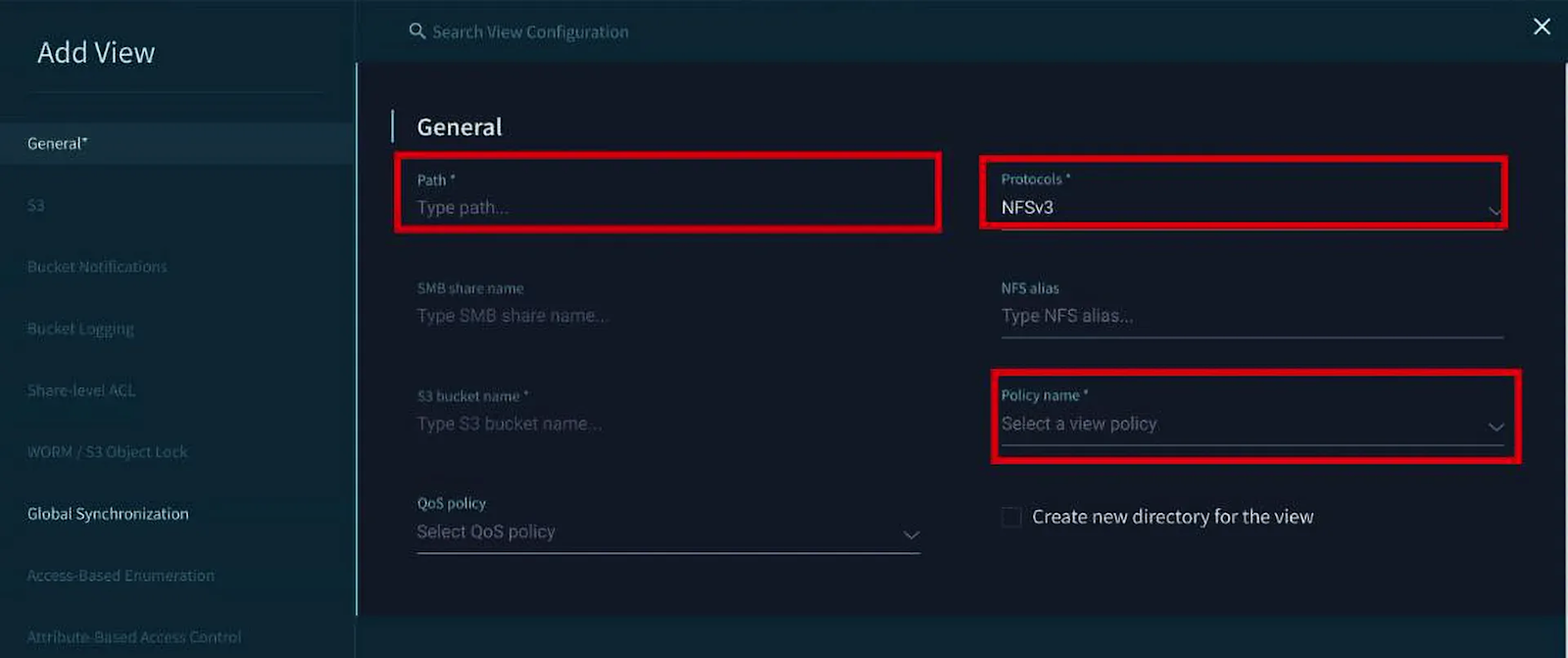
After filling in the required fields, click "Create." (Note: Because this is a read-only lab, your view will not actually be created.)
However, within your actual VMS, your new View will now be created and will be accessible via the selected protocols. You can view and manage it from the Views tab within the Element Store section.
Key Takeaways
Views create logical organization of storage resources without requiring physical reorganization of data. A single directory in the Element Store can be presented through multiple Views with different access characteristics.
The protocol selection for Views determines client compatibility. Understanding which protocols are appropriate for different client types is essential for effective View design.
View Policies govern critical access behaviors and should be carefully considered during View design. Observing existing policies provides insight into security and access control strategies.
Multi-protocol access to the same data provides flexibility but requires careful planning to avoid security model conflicts.
Descriptive naming conventions for Views make the storage environment more intuitive and manageable. Analyzing existing naming patterns helps understand organizational practices.
Views create a clear separation of concerns between storage administration and data access, allowing each to be managed independently. This separation simplifies both storage and access management.
Documentation of View configurations helps maintain a well-organized environment. Even in our read-only lab, documenting what you observe creates valuable reference material.
Understanding the relationship between paths, Views, and protocols is fundamental to effective VAST administration. Mapping these relationships visually reinforces this understanding.
Security models differ between protocols, and understanding these differences is crucial for proper View configuration.
Views should be designed with user needs in mind, considering factors like access patterns, security requirements, and protocol compatibility.
By exploring and understanding Views in VAST Data’s VMS, even in a read-only environment like this one, you develop the conceptual foundation needed to design and implement effective storage access strategies once you have write access to a production system. This observational approach builds valuable analytical skills that translate directly to active administration.